Love to hear from you!
Get in touch.

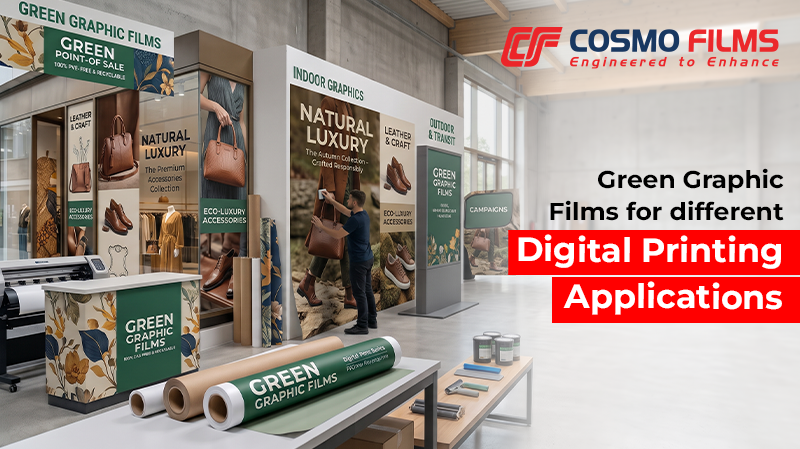
Digital printing enables businesses to produce graphics for retail branding, promotional displays, signage, wall graphics and other visual communication applications. However, achieving the desired output depends on the printer and artwork. The graphic film must also be suited to the printing technology, image requirements and intended application.
For printers, brand owners and signage professionals, selecting the right film at the beginning of a project can help minimize print inconsistencies, reduce material wastage and support a smoother production process.
This blog covers key considerations when choosing a graphic film for digital printing applications.
Start with the Intended Graphic Application
The end use of a printed graphic determines the performance requirements of the film. A material suitable for a short-term promotional campaign may not necessarily meet the requirements of a long-term branding application.
Before selecting a film, consider where the graphics will be used and how it will be viewed.
Defining the application first helps narrow down the material options and establish the right specifications for the job.
Check Compatibility with the Printing System
Graphic films must work with the selected printer and ink system to produce consistent results. A film that performs well with one printing technology may not deliver the same output with another.
Cosmo Green Graphic Films supports solvent, eco-solvent, UV and HP Latex printing, subject to the compatibility requirements of the specific printer and ink system.
Before starting production, businesses should verify the film’s suitability for their equipment and printing process. A trial run can help assess ink adhesion, colour reproduction, drying or curing behaviour and the consistency of the printed output.
This step is particularly useful when introducing a new film into an established workflow or switching between printing technologies.
Evaluate Image Quality and Colour Reproduction
The requirements of the artwork should influence the selection of a graphic film. Brand logos, product visuals, promotional messages and detailed graphics all need to reproduce clearly at the intended viewing distance.
When evaluating a film, check how it reproduces the colours, fine details and visual elements used in the artwork. Test prints can help identify inconsistencies before full-scale production.
Businesses should also consider whether the graphics will be viewed from close range or at a distance. Retail graphics and indoor displays may require clear reproduction of smaller text and intricate details, while larger-format signage must maintain visual impact across its intended viewing area.
Using approved artwork, consistent printer settings and suitable production parameters can help maintain uniformity across multiple prints.
Consider the Production Workflow
A graphic film should fit the requirements of the entire production process, not just the printing stage. Depending on the project, printed graphics may need to undergo drying or curing, lamination, cutting, trimming and installation.
The selected film should be evaluated for its suitability for these subsequent operations. For example, when lamination is required, the compatibility of the printed film with the intended laminate should be verified before production.
Printers should also assess how the material performs during handling and finishing. Testing the complete process helps identify potential issues early, rather than discovering them after a large batch has been printed.
Match the Film Specifications to Project Requirements
Once the application and printing process are defined, compare the available film specifications against the job requirements.
The appropriate configuration depends on the intended application and the requirements of the complete graphic system. Rather than selecting a film based on a single specification, businesses should assess how its properties align with the printing method, substrate and finishing process.
It is also important to review the technical information and application recommendations before finalizing the material for production.
Reduce Trial-and-Error Through Pre-Production Testing
Pre-production testing helps confirm whether the selected film meets the project’s requirements before materials are committed to a full run.
A practical evaluation should include:
Documenting the approved material and printing settings can also help maintain consistency when the same graphic needs to be reproduced across multiple batches or locations.
Make an Informed Choice for Digital Printing
Choosing a graphic film for digital printing requires a clear understanding of the application, printing technology, artwork requirements and production workflow. Evaluating these factors together helps brands select a material that supports the intended output and reduces avoidable production issues.
Our Green Graphic Films offer a PVC-free, BOPP-based option for selected digital printing applications. By checking compatibility, testing the complete production process and matching film specifications to project needs, printers and brand owners can make more informed material choices.
Frequently Asked Questions
1. Is Green Graphic Film suitable for high-speed printers?
A. Yes. The film is designed to perform efficiently on modern wide-format digital printers.
2. Why should customers choose Cosmo Films’ Green Graphic Films?
A. Customers choose our Green Graphic Films because they combine outstanding print quality with
environmental responsibility. The films offer excellent compatibility with all major digital printing
technologies, reliable indoor and outdoor durability, premium finishes, recyclable polyolefin
technology, UV-protected over-lamination, and a PVC-free construction that supports sustainable
branding without compromising performance.
3. Does the PVC-free film have good ink adhesion?
A. Yes. The specially developed printable surface provides strong ink adhesion with compatible digital
printing technologies.
4. Can the film be printed with high-resolution images?
A. Yes. It supports high-resolution digital printing for detailed graphics, photographs, logos, and branding
elements.
5. Is the film compatible with digital workflow systems?
A. Yes. It can be integrated into standard wide-format printing and finishing workflows.
Featured Post
Love to hear from you!
Get in touch.